Dixell XWEB500D PRO 8G000P monitoring system for remote management of up to 50 devices


Dixell XJA50D 5N105 data acquisition module for Xweb monitoring systems


Dixell XJM60D 20400 data acquisition and output relay module for Xweb monitoring systems


Dixell XJP60D 5C0P3 data acquisition module for Xweb monitoring systems

Dixell XWEB 500 PRO are monitoring units designed to monitor and record operating values in monitored operations in cold stores, freezers, supermarkets, warehouses, food production and many more. Up to 50 controllers or other devices can be connected to them and monitored and managed via remote access. This makes it possible to obtain remote monitoring of all refrigeration equipment, including reporting of faults and exceeding set temperature limits and other parameters. Access to the units is local or remote. Communication is done using a standard web browser. Compared to the previous version of these monitoring systems, the user interface has been redesigned for even easier usability and intuitive operation. At the same time, the use of Java technology has been minimized for truly broad usability, including remote access via smartphones.
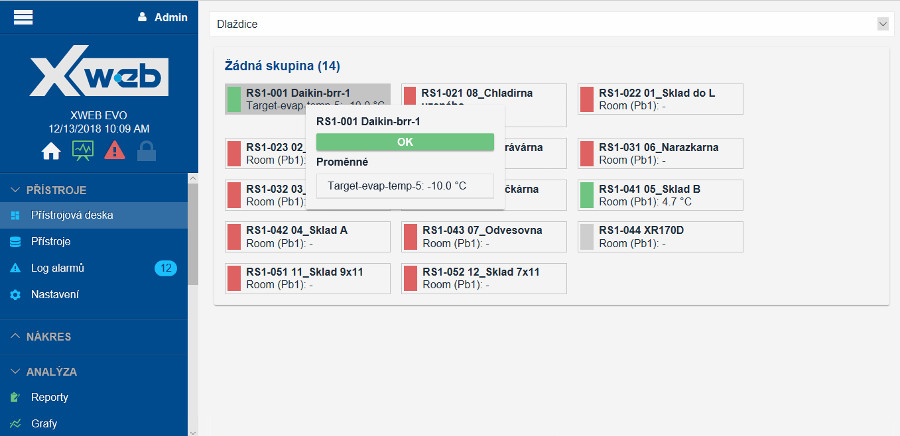
A clear and intuitive homepage, which is the basic element of the control of the entire system. Once the network of connected controllers and other devices is configured, an icon for each device is automatically added to this page.
The colour of this icon shows the current status, so that devices requiring operator intervention can be identified very quickly and easily.
At the bottom of this screen is a listing of active alarms and buttons to quickly and easily generate a HACCP report.
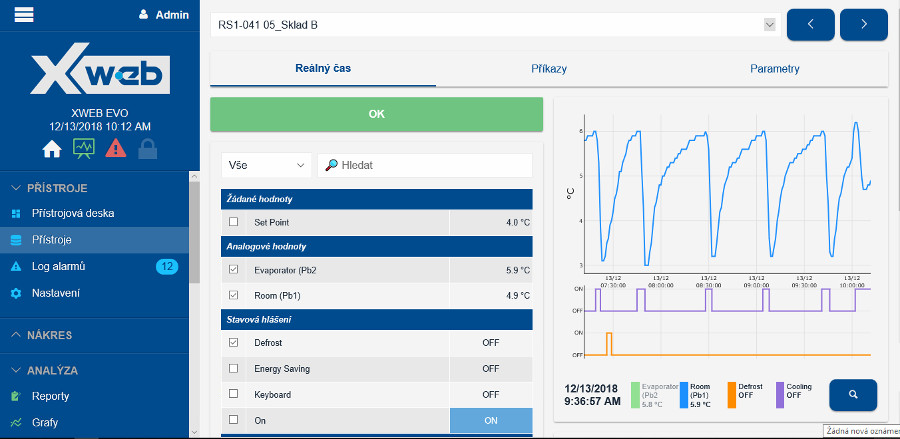
This powerful tool allows the user to access individual connected devices. The panel displays its current status, including the ability to directly control it using available commands or parameters.
The parameter map can be exported to different formats such as CSV, XLS or WIZZMATE and can be reused for other controllers in the system or in other XWEB PRO systems.
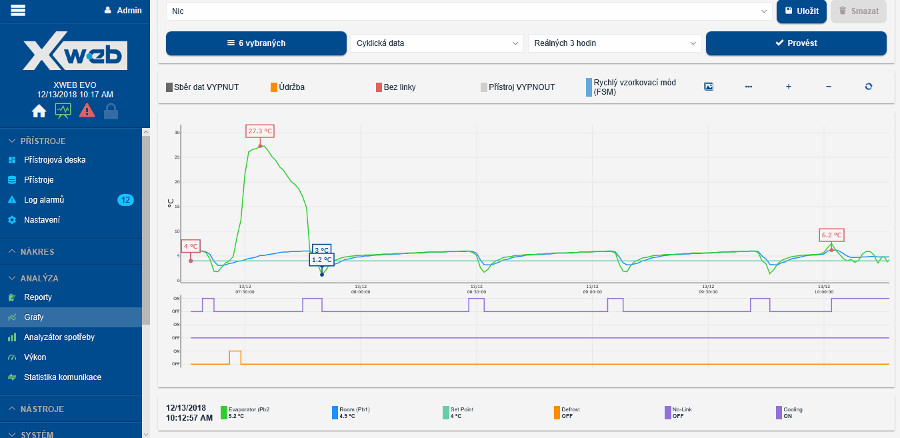
A new graphical tool for creating graphs of the progress of individual variables. Among other things, it allows quick and easy data analysis. Multiple analogue or logic variables can be displayed simultaneously, including alarms.
By displaying cyclic data that has a high sampling rate, the graph provides more information that may be needed during diagnostics or system commissioning.
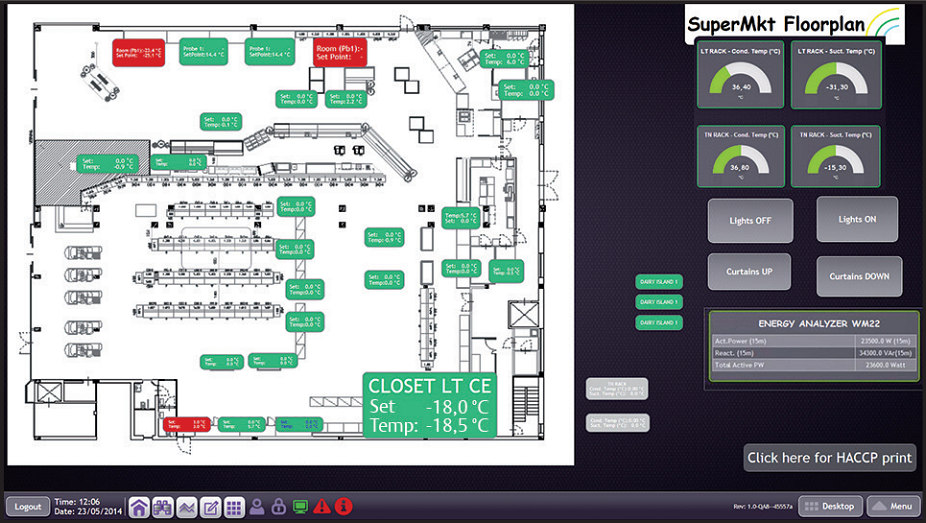
This Dixell XWEB PRO system allows you to upload a layout plan of each connected device to the device.
A new set of graphical tools allows individual devices to be represented graphically in a variety of ways, without the need to install additional software on the operator's computer, both to create and to use this useful feature itself.
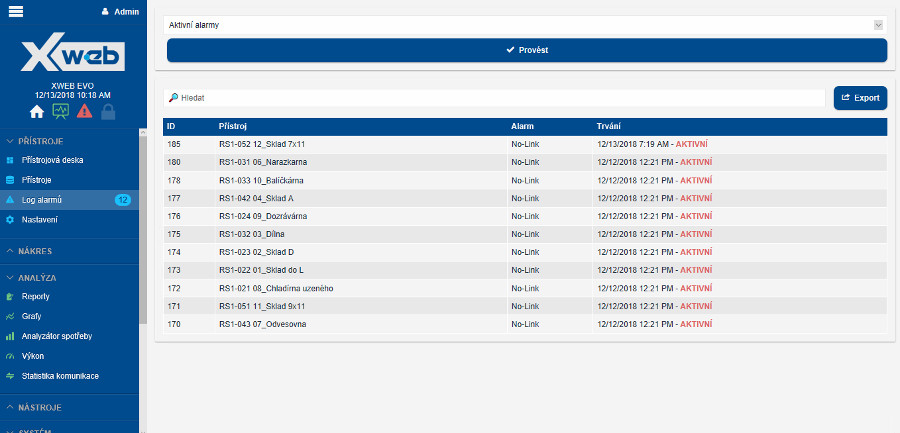
The listing of individual alarms detected by the system can be filtered according to a number of parameters such as individual connected devices, alarm type or time. The XWEB PRO system provides all the information related to each alarm and specifies the status of the instrument at the time of the alarm.
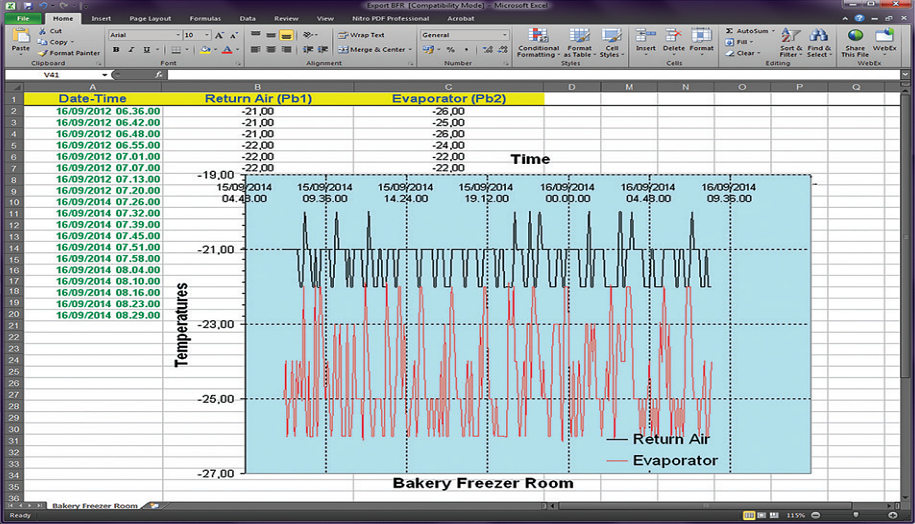
All data can be easily and conveniently exported to Microsoft Excel® format. With this option, impressive graphs can be quickly created or data analyzed. Among other things, it is possible to select intervals and filters for different controllers.
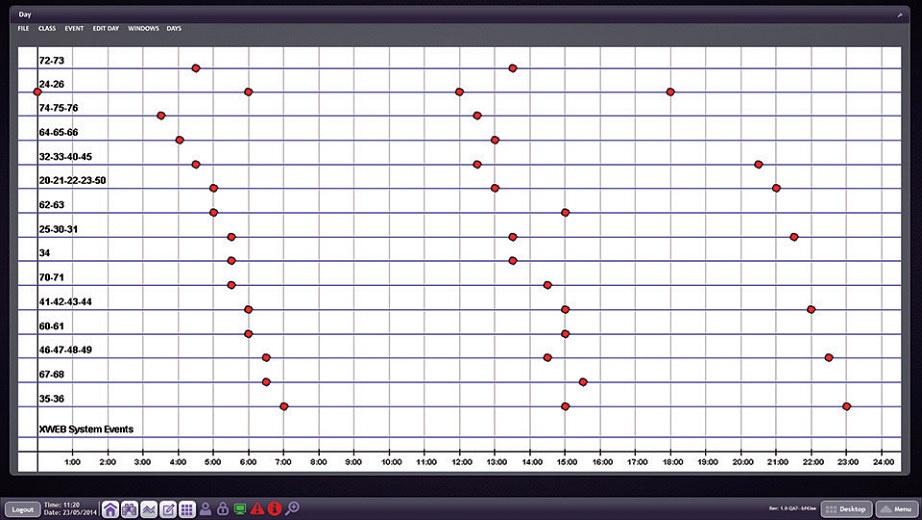
The scheduler is a powerful graphical tool for managing the commands sent to the individual connected controllers.
Each page provides an overview of all daily activities to simplify the management of the entire system.
In this way, routine actions needed to maximize energy savings, synchronized defrosting and many other activities can be quickly and easily automated.
Graphical representation of the operating mode of groups of controllers or individual devices offers the user the possibility to verify operating conditions and statuses over time.
This intuitive overview offers a complete view of the operating status of the system and the mode of individual devices.
| Power supply | 230 Vac |
| Designation | Built-in |
| Record of measured quantity | Yes |
| Auxiliary digital input | Yes |
| Communication Bus | RS485 |
| Producer | Dixell |
Features and functions of the Dixell XWEB PRO 500D:
- State-of-the-art hardware with broader integration options
- Completely localized to the Czech language
- DIN rail mount version
- Control and data logging capability via a local corporate network or the Internet
- User-defined alarm management, sending alarms via email or sms
- Access to the device via Web browser
- Minimised use of Java technology
- New, more intuitive user interface
- Easy creation of graphs and waveforms including export to PDF or Excel
- Ability to insert a drawing showing the location of cooling devices connected to the system for easy identification
- Scheduler to automatically send commands to individual devices at scheduled times
- Mobile version for smartphone management
| TECHNICAL SPECIFICATIONS | |
|---|---|
| Number of devices to be connected | max. 50 |
| Power supply | 110...230Vac 50...60Hz ±10% |
| Consumption | approx. 20VA |
| Operating temperature | 0°C ... 60°C |
| Dimensions | 175 x 110 x 50 mm (10 DIN modules) |
| Sampling time (main) | Adjustable from 1 to 60 minutes |
| Digital input | 1x |
| Interface | RS485 USB Type A Ethernet RS232 for external modem 3x output relays for alarms and other functions |
Dixell XWEB EVO 300 and 500 series software updates:
https://webapps.emerson.com/Dixell/Pages/XWEB300D_500D_500_PRO
If you need to update the XWEB English, please contact our technical support at info@logitron.cz
Please note that the installation and especially the subsequent setup and recovery of the XWEB PRO system is not a trivial matter and it is therefore imperative that a certified technician or contractor perform the installation.
If you are interested in training and subsequent certification, please call Mr. Ing.296 150 064
This online store saves cookies that help its proper functioning. By using our services, you agree to their use.